


The New .dst DSD Container — Compression and Album Art in One File
Three DSD containers, each missing something
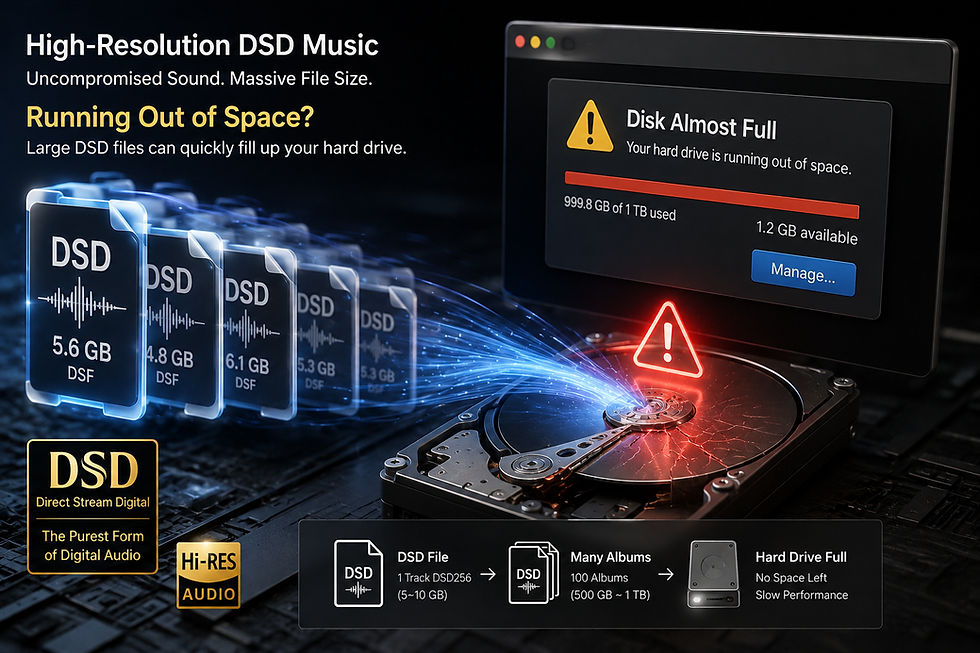
Until now there were effectively two containers for DSD audio: DFF and DSF. Both hold exactly the same sound, but each fails to hold something the other can.
DFF can use DST lossless compression, cutting file size to roughly half. What it has no room for is tags. No track title, no artist, no artwork inside the file — you end up relying on file names.
DSF is the opposite. It handles tags and artwork well but supports no compression at all. One DSD64 track runs to hundreds of megabytes, and a single album piles up several gigabytes.
So we built a new container. .dst carries DFF's DST-compressed audio exactly as it is and appends an ID3v2.3 tag at the end of the file for track information and artwork. Compression and tags in one DSD container. Programs that read DFF simply skip the trailing tag, so nothing breaks.
DFF | DSF | .dst | |
|---|---|---|---|
DST lossless compression | Yes | No | Yes |
Track information tags | No | Yes | Yes |
Album artwork | No | Yes | Yes |
Rough file size | ~50% compressed | 100% | ~50% |
Rate | No limit | No limit | DSD64 (SACD spec) |
How to make one — encoding
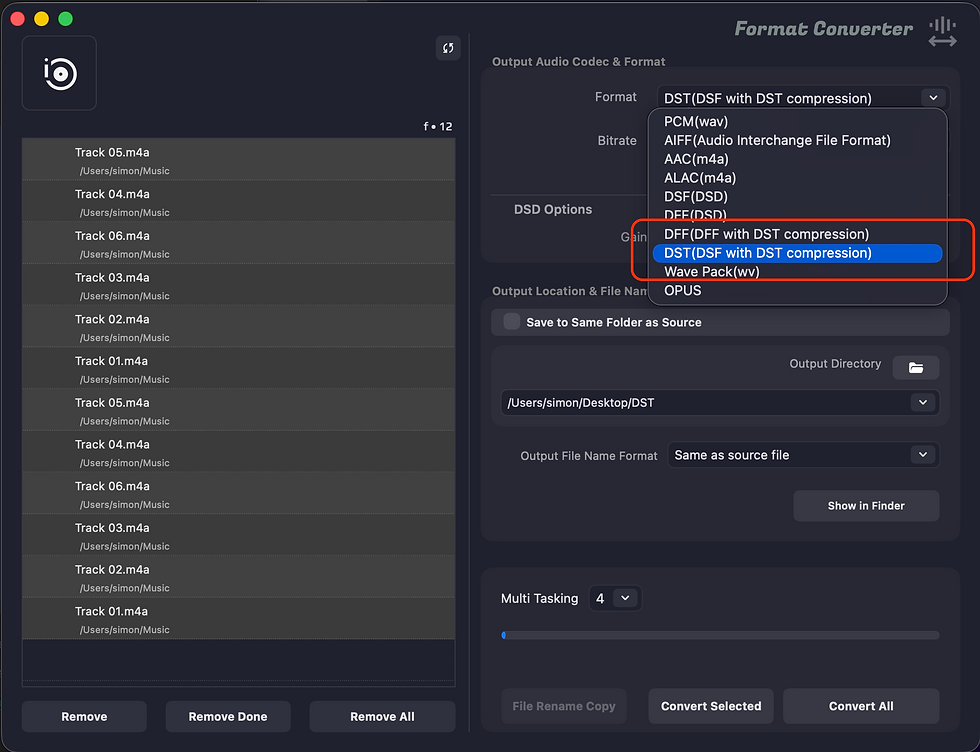
1) Open the Format Converter in Pine Player Pro.
2) Add the files you want to convert. DSD sources (DSF, DFF) work, and so do PCM sources such as WAV, FLAC, and ALAC.
3) Under Format, choose DST(DSF with DST compression).
4) Set the output folder and press Convert All, or Convert Selected.
5) Multi Tasking sets how many files convert at once. Compression is core-hungry, so running several at once divides the cores among them.
A PCM source is modulated to DSD64 and then compressed to DST; a source that is already DSD has its audio carried over as it is and then compressed. Either way, the track information and artwork from the source are carried into the tag.
Measured — a 29.7-second SACD source went from 20,971,520 bytes to 10,269,578 bytes: 49.0%, about 2.04 times smaller, in 8.3 seconds, or 3.6 times real time. Because it is lossless, decompressing gives a byte-for-byte match of the original.
One thing to keep in mind: the SACD specification defines DST for DSD64 only. To archive DSD128 or higher, use DSF or DFF.
Adding track information and artwork

Tags in a .dst are edited in Pine Meta Editor: title, artist, album, album artist, composer, conductors, genre, disc and track numbers, year, comments, copyright, publisher, and lyrics. Artwork goes in through ‘Add from Image File’, straight from an image on disk.
When tidying up a whole album, Copy and Paste carry album-level fields from one track to the next, and the < > buttons at the bottom move through the playlist so you can keep going without reopening the window. The Playlist Index at the top right shows where you are.
Artwork can be PNG or JPEG, and an image you put in comes back byte-identical when read out again. Writing tags never touches the audio data.
Playing it back
A .dst file plays in Pine Player and Pine Player Pro by simply opening it. Add it to a playlist and double-click; the track information and artwork are read straight out of the file and shown on screen.
Native DoP playback — sending DSD to your DAC untouched — is supported as well. The compression is undone in real time and the one-bit stream goes out as it is, with no conversion to PCM along the way. SACD ISO tracks and DST-compressed .dff files play the same way. Seeking and moving to the next track behave exactly as with any other file.
If you need to open the music in another program, convert it back. Going from .dst to DSF or DFF only decompresses and re-wraps the audio, so it is lossless and very fast.
In closing
DFF compresses but cannot hold tags; DSF holds tags but cannot compress. The .dst container takes both halves: about half the file size, track information and artwork inside the file, and audio that is byte-for-byte identical to the original.
If you are archiving music ripped from SACD or DSD you produced yourself, it is worth a try.


Comments